CommentLane Get CommentLane

KEEP THE CONVERSATION IN CONTEXT

Good feedback
belongs right here.

A Chrome extension for private notes and team feedback, right on the webpage. Find the conversation where you left it.

Chrome + Google accounts first Extension in development

Same page. Shared understanding.

INTERACTIVE CONCEPT
fieldnotes.example / getting-startedCommentLane
fieldnotes A LITTLE CLARITY GOES A LONG WAY

THE GETTING STARTED GUIDE

Make the first
five minutes count.

A good start makes everything that follows a little easier.

Invite your team before you start your first project.

Give everyone a little space to explore. The best way to learn something new is to try it together.

Small steps. A shared starting point.

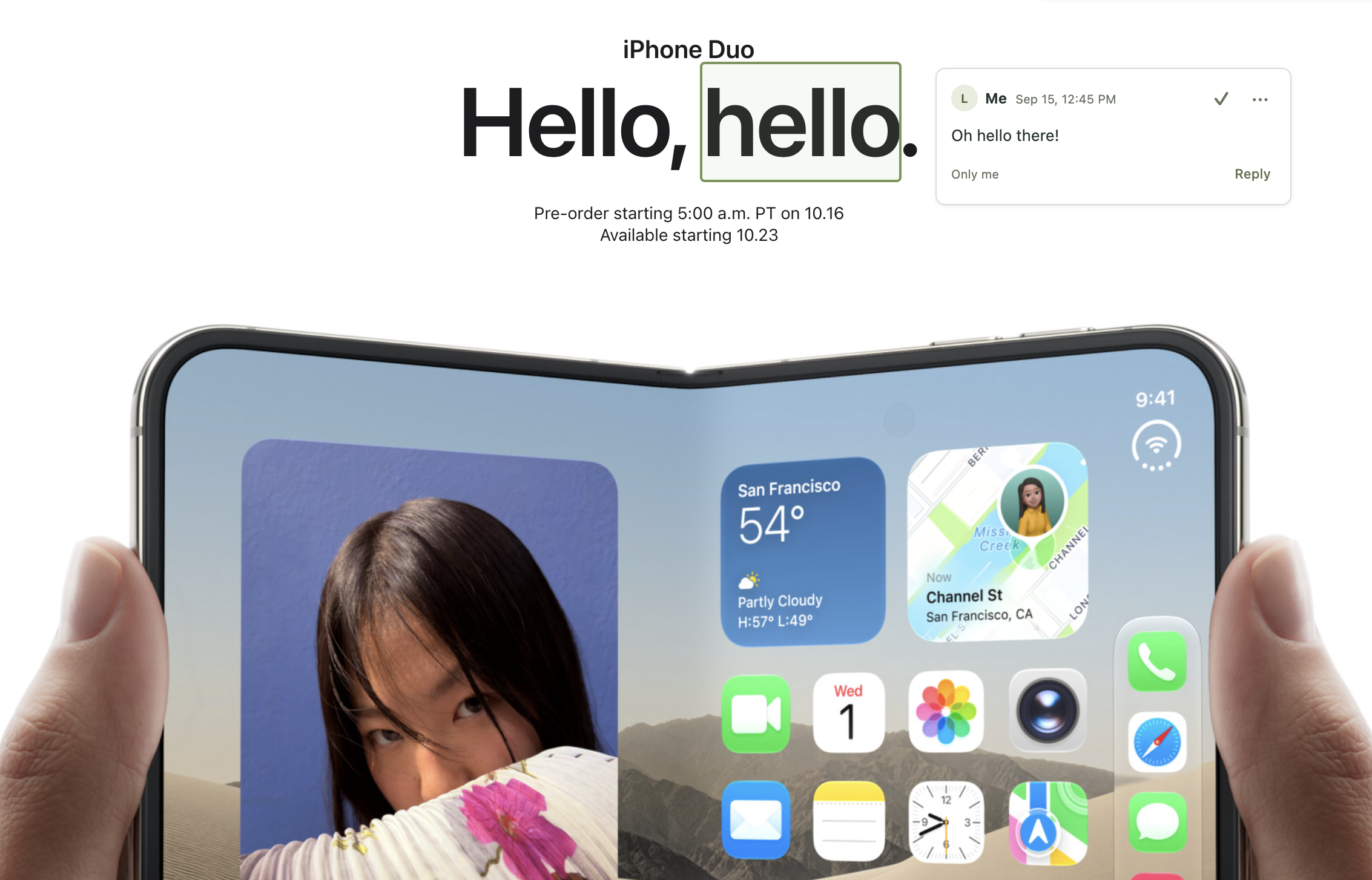
Website reviewYou + 2
Jamie
NEW

Could we let people try it before inviting the team?

Sam

Good call. I’ll move the invite to the next step.

Open conversation1 reply
Your page, your pace.

The question and the answer, beside the exact sentence.

Fictional example of the experience we’re building.

A THOUGHT. A FEW CLICKS. A CONVERSATION.

From “look at this”
to “we’re on the same page.”

Here’s how CommentLane is designed to fit into your day.

01

Point to what you mean.

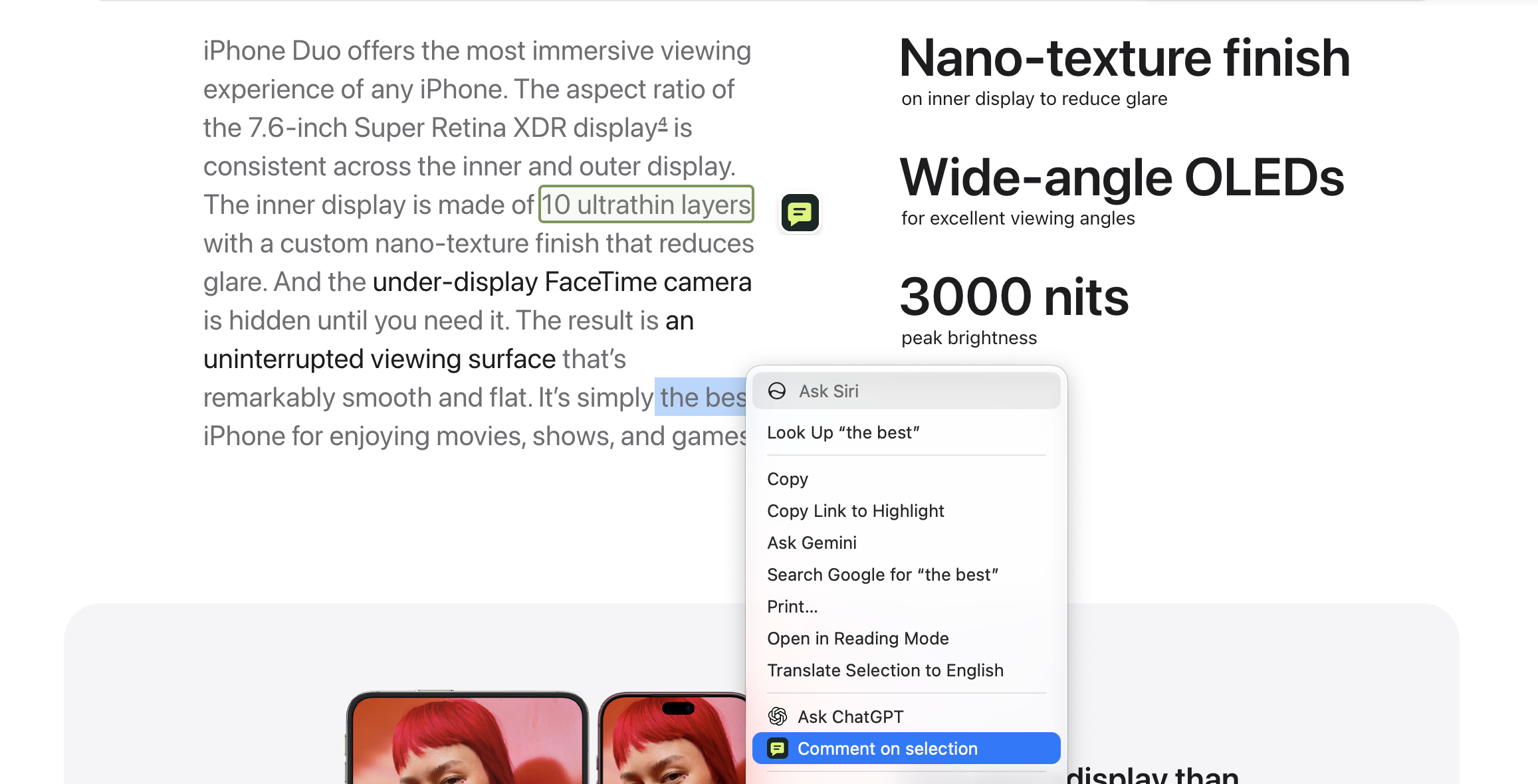
Highlight a sentence or select an image or part of a page. Leave your thought beside it.

“This is the bit I mean.”
02

Choose who’s in.

Keep a note to yourself, share with a few people, or bring it to an existing group.

Only me My people
03

Pick it up together.

Reply in context, mark a discussion addressed, and return to the reasoning when you need it.

“Now that makes sense.”

FOR THE PAGES ALREADY IN YOUR DAY

The work is right there.
Keep the feedback there, too.

For small teams, thoughtful collaborators, and the notes you leave for future you.

Review a website.

Give a teammate clear feedback on a headline, an image, or that one confusing button.

“Does this explain what we do?”

Make sense of a guide.

Ask about the exact step that needs explaining. Keep the answer handy for the next person.

“What happens after this step?”

Think through a choice.

Compare tools or collect ideas together. Keep your questions beside the details that matter.

“Would this work for our team?”

A THOUGHT WORTH COMING BACK TO.

A place for the thought.
And the follow-through.

The little details that make a conversation worth coming back to.

Find that conversation again.

Your Library brings comments from different pages together, so you can pick up an earlier question or decision.

Keep your audience clear.

See who you’re sharing with before you post. Personal notes have their own private space.

Make room to read.

Expand a conversation, collapse it to a marker, or hide comments for a while. Come back on your terms.

GOOD QUESTIONS

A little more
context.

Can I install CommentLane yet?

We’re still building the Chrome extension. You can explore the example above today. When it’s ready, you’ll be able to install it from the Chrome Web Store right from this page.

What will I need to use it?

The first release is for desktop Chrome and a Google account. Safari and Apple account support are planned for later.

Who will see my comments?

You’ll choose: Only me, a few people you invite, or an existing group. Adding someone to a group gives them access to that group’s conversation history. Your personal notes stay separate.

Does everyone need the extension?

You’ll need the extension to see comments on the original webpage. We’re also building a way for invited people to read and reply in Google Docs, using their Google account.

Will it work on every page?

We’re starting with ordinary websites and online documentation. Some browser pages and specialized apps have restrictions. You’ll still need your own access to any private website. Tested support details will come with the first release.

Where will my notes live?

The plan is to keep your notes and shared conversations in Google Drive, with clear choices about who can access them. We’ll explain the permissions during setup and provide the full privacy details before launch.

FOR YOUR NEXT “TAKE A LOOK AT THIS.”

Leave a thought.
Keep the context.

Private notes and shared conversations,
right on the webpage.

CHROME EXTENSION IN DEVELOPMENTExplore the preview

Chrome + Google accounts first.
Safari + Apple accounts later.